Cash drawer not matching your sales report? Here's how retail shops in India close the day fast with automatic cash-vs-sales reconciliation in RichPOS.
Every retail shop owner in India knows the last 20 minutes of the day: counting the drawer, matching it against the register, and hoping the numbers agree. When they don't, someone stays back to find a ₹200 gap that could be a missed bill, a wrong change, or a UPI payment logged twice. Billing software that reconciles automatically removes this guesswork.
Why manual cash reconciliation breaks down
Most small shops still close the day on a notebook or a spreadsheet: total cash sales from memory, minus expenses paid from the drawer, compared to what's physically counted. This works until volume grows past a handful of bills a day. Common failure points:
Split payments (part cash, part UPI/card) get recorded inconsistently across staff.
Returns and refunds paid in cash aren't deducted from the expected drawer total.
Owner-drawn cash for supplier payments isn't logged, so the shortfall looks like theft or billing error.
Multiple cashiers on one drawer make it impossible to trace who caused a mismatch.
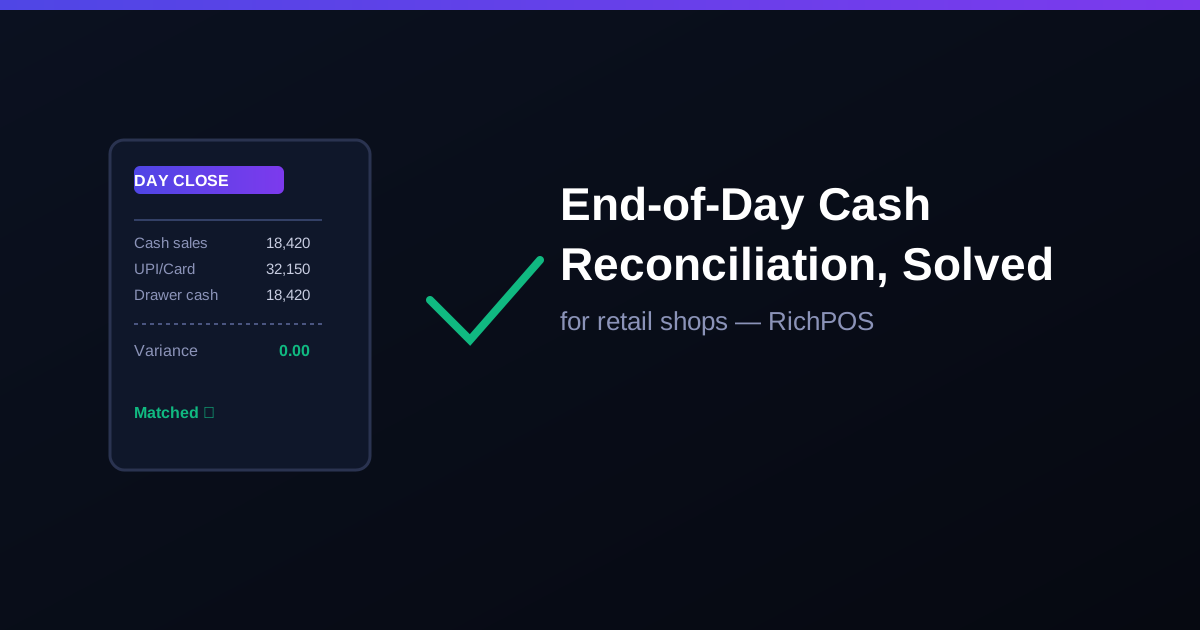
RichPOS logs every bill against its payment mode (cash, UPI, card, credit) at the time of sale — not at day-close. When you run day-close, the system does the matching for you:
Step
What RichPOS does
1. Expected cash
Opening cash plus cash payments, minus cash expenses and cash refunds, each line with its source
2. Counted cash
Cashier enters physical drawer count at close
3. Variance
System shows the difference instantly — ₹0 if matched, flagged amount if not
4. Digital modes
UPI and card totals are shown separately for reference; match them with your bank or UPI app statement
A same-day variance is easy to trace back to the last few bills. A variance discovered a week later, during GST reporting, is nearly impossible to explain.
What to check if the drawer doesn't match
Re-open the day's bill list filtered by cash payment mode and re-count against the printed receipts.
Check for any bill edited or cancelled after printing — a cancelled cash bill still counted in the drawer.
Confirm change given matches the bill amount, not a rounded figure.
Check if a cash expense (tea, courier, small supplier payment) was paid from the drawer but not logged.
Multi-store shops need this more, not less
A single-store shop can eyeball a small mismatch. A 3-store chain closing each night needs every store's reconciliation rolled up the same way, the same evening, so the owner sees one clean number instead of three different notebooks. In RichPOS each store has its own day closing, and the owner can see every closing, who did it and any short or excess highlighted.
Bottom line: reconciliation should happen automatically at day-close, not be reconstructed later from memory. See how RichPOS handles GST reporting and plan pricing for your shop, or call +91 90333 31255 for a walkthrough.
Figures above are illustrative examples, not RichPOS transaction data.
What is end-of-day cash reconciliation in retail billing?
It is the process of matching the physical cash counted in the drawer against the cash sales recorded by the billing system for that day, adjusted for cash refunds and withdrawals.
Why does my cash drawer not match my billing software?
Common causes are cash refunds not deducted, cash withdrawn for expenses not logged, split cash/UPI bills recorded incorrectly, or a bill edited or cancelled after cash was already collected.
How does day close work in a shop with more than one store?
Each store closes its own day: expected cash is worked out from that store's opening cash, cash payments, cash expenses and cash refunds, the cashier counts the drawer, and the owner can see every store's closing with any short or excess highlighted.
Free tool: use the Excel templates for a stock register, udhaar khata, cash book or GST purchase register. Free; enter your WhatsApp number to download.
Founder, RichPOS Software, Ahmedabad. We build RichPOS for Indian shops and write these guides from what shop owners ask us every day. Facts on tax rates and prices are dated; confirm GST matters with your CA. Questions? WhatsApp us.
Make GST bills in seconds with RichPOS
Billing, stock, WhatsApp bills and GST reports in one app. Free 30-day trial with no card, then ₹99/month for 3 months and ₹199/month after.
Low Stock Alerts for Retail Shops in IndiaBestseller out of stock mid-sale? Here is how retail shops in India set low-stock alerts in billing software to reorder before shelves go empty.