Opening a second shop is a big milestone. A kirana owner in Indore adds a branch across town, a mobile store in Surat opens in a new mall, a garment shop in Ludhiana takes a small godown. Sales grow, but so does the chance of losing track: stock sitting in the wrong branch, cash that does not match, and staff you cannot see. This guide covers what changes when you run more than one store, and how to keep control.
Quick answer
Run every branch on one system, with one login per staff member tied to their branch, transfers recorded in and out, and a daily cash check at each counter. Then review per-branch and combined reports weekly. The aim is to see each store's numbers separately and the whole business together, without phone calls at closing time.
What changes when you go from one shop to two
- Stock splits. The same item now lives in two places. A customer asks for a size that is sold out here but sitting in the other branch.
- You are not at the counter. At least one store runs without you, so you depend on records rather than your own eyes.
- Cash lives in two drawers. Each branch needs its own daily close, and money moved between branches must be recorded.
- GST gets more detail. Every place of business must be on your GST registration, and inter-state branches need their own registration.
1. Keep one system, not one per shop
Separate billing setups or separate notebooks per branch mean you only see the full picture after adding them up by hand. With a single system, every bill, purchase and transfer is recorded in one place, and you can switch between one branch's view and the whole business. If you are still stitching together sheets, see the signs your store has outgrown spreadsheets.
2. Treat stock transfers as real transactions
Most multi-store stock problems come from goods moved without a record. When a carton leaves Branch A, record it going out; when it arrives at Branch B, record it coming in. Then both shelves match the system. For GST purposes:
| Transfer | Usual document | GST |
|---|---|---|
| Branch to branch, same state (same GSTIN) | Delivery challan | Not a sale, no GST |
| Branch to branch, different states (different GSTINs) | Tax invoice | Taxable supply, IGST applies |
An e-way bill may be required for goods moved by road above the value threshold, including your own stock transfers. Check current rules with your CA.
3. One login per person, tied to their branch
Shared passwords make it impossible to know who billed, who gave the discount, or who edited stock. Give every cashier and manager their own login, limited to their own store, and decide who can see purchase prices or profit. Our guide on multiple cashier logins and permissions goes deeper.
4. Close cash at every branch, every day
Each counter should do its own end-of-day count against system sales, split by cash, UPI and card. Cash sent from a branch to the bank or to the main shop should be recorded as a transfer, not left as a gap. The steps are in our end-of-day cash reconciliation guide.
5. Buy centrally, stock locally
Ordering together gets better supplier rates, but each branch sells differently. Look at per-branch sales before placing a purchase order, then send stock where it actually moves. A slow item in one branch may be a bestseller in the other; transfer it before you discount it.
6. Compare branches with the same reports
Review each branch on the same numbers every week: sales, gross margin, stock value, top and slow sellers, and cash differences. The branch with the highest sales is not always the most profitable. Read the combined profit & loss report monthly, then split it per store.
How RichPOS helps run multiple stores
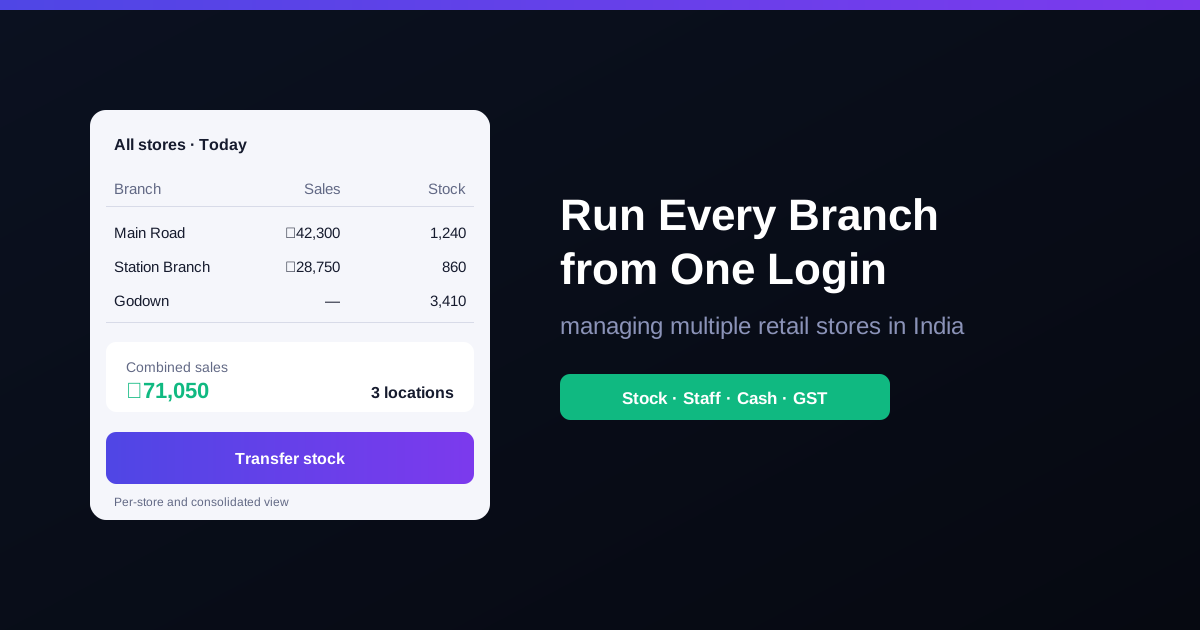
With multi-store & multi-warehouse, RichPOS runs unlimited stores and warehouses from a single login, with per-store and consolidated sales and stock reports. Users & roles are assigned per store, so staff only access their own location, and an activity log records who did what. Purchases & suppliers supports warehouse-to-warehouse stock transfers, and accounts & cash tracks money moved between accounts and stores. GST reports are generated from the same live data.
Frequently asked questions
- Do I need a separate GSTIN for each branch?
- Not if all branches are in the same state. You add each extra shop or godown as an additional place of business on your existing GST registration. A branch in a different state needs its own GSTIN. Confirm the details for your case with your CA.
- Is GST charged when I move stock between my own branches?
- Between branches under the same GSTIN, it is a stock transfer, usually moved on a delivery challan without GST. Between branches in different states, each GSTIN is treated as a separate person, so the transfer is a taxable supply that needs a tax invoice. An e-way bill may be needed depending on value and distance.
- How do I stop stock mismatches between branches?
- Record every transfer out of one branch and into the other in the same system, count fast-moving items weekly at each location, and investigate any gap between system stock and shelf stock straight away.
- Should each branch have its own cashier login?
- Yes. Give each staff member their own login tied to the branch they work at. It keeps bills, cash and stock changes traceable to one person and one location.
Bottom line: a second store should add sales, not confusion. Put every branch on one system, record every transfer, and review the same numbers for each store every week. RichPOS gives you multi-store GST billing from ₹199/month, with a 30-day free trial. See pricing or call +91 90333 31255.
General guidance for Indian retailers as of 2026; confirm GST registration, stock transfer and e-way bill requirements for your business with your CA.