Ask any shop owner in Surat, Lucknow or Madurai what would happen if the billing computer died tomorrow, and most will pause. Years of invoices, GST records, customer dues, supplier ledgers and stock levels often live on one machine with no second copy. Hardware fails, laptops get stolen, and a power surge does not check whether you filed GSTR-1 yet. A simple backup routine is the cheapest insurance a shop can have.
Quick answer
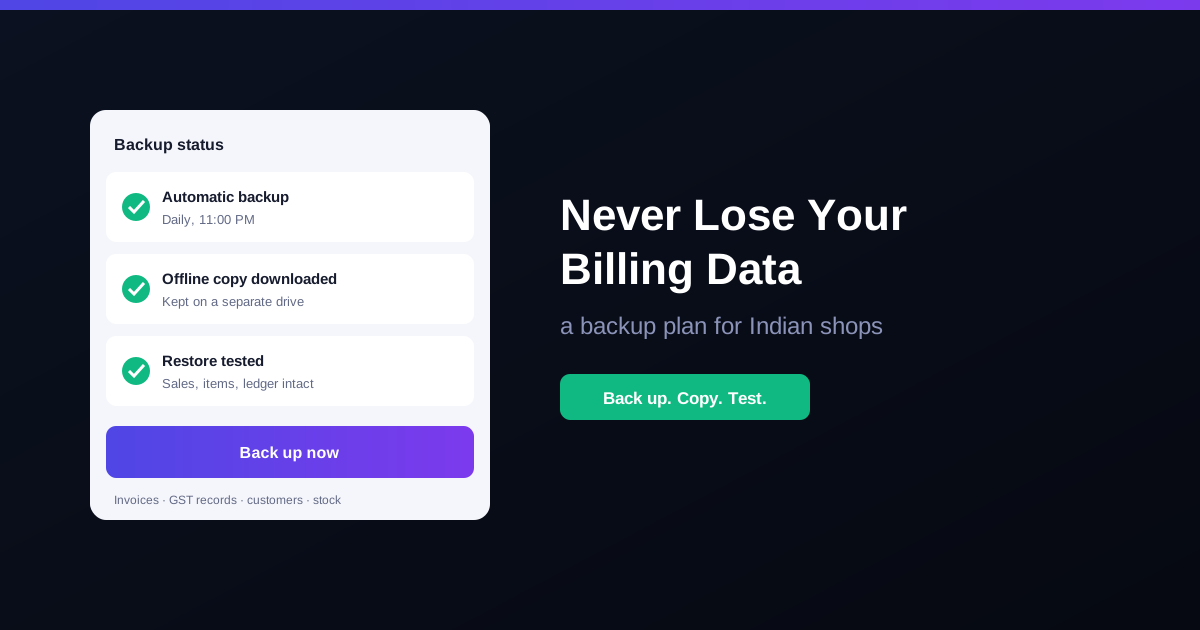
Back up every day, keep one copy away from the shop, and test a restore once in a while. Automatic backups remove the need to remember; an offline copy protects against theft or damage at the counter; a tested restore proves the backup actually works.
What you lose without a backup
- Sales and GST records. Invoices you need for GST returns, audits and any notice from the department.
- Customer dues. Who owes what on credit, and since when.
- Supplier ledgers. What you owe suppliers and what you have already paid.
- Stock and item master. Hundreds or thousands of items with prices, HSN codes and barcodes that take days to re-enter.
- Staff and cash history. Who billed what, and how each day's cash closed.
A simple backup plan for a shop
| What | How often | Where |
|---|---|---|
| Automatic backup | Daily, after closing | Handled by your billing software |
| Offline copy | Weekly | External drive or pen drive kept at home, not at the counter |
| Month-end copy | Monthly, after GST filing | A separate drive or folder you do not overwrite |
| Test restore | Every few months | Check that sales, items and ledgers open correctly |
Common backup mistakes
- Relying on memory. Manual backups get skipped on busy festival days, which is exactly when you have the most to lose. Schedule them.
- Keeping the only copy next to the computer. Theft, fire or water damage takes both at once.
- Overwriting the same file every time. If today's data is already damaged, you have just overwritten your last good copy. Keep older copies too, especially month-end ones.
- Never testing a restore. A backup you have never opened is a hope, not a backup.
- Giving everyone access. Limit who can take, download or restore backups. See cashier logins and permissions.
Keep records for GST
Backups are not only about disasters. Under the CGST Act, registered businesses must keep accounts and records for 72 months from the due date of the annual return for that year. A proper month-end backup, taken after you file, gives you a clean copy of the books behind each return. Our GST invoice format guide covers what each invoice must contain, and GST reports in RichPOS export the summaries your CA needs.
How RichPOS protects your data
RichPOS includes database backup built in. Take a one-click manual backup whenever you want, or schedule automatic backups so they happen without anyone remembering. Every sale, item and ledger entry is covered. Backups can be downloaded and kept somewhere safe offline, and if something ever goes wrong, restore support gets you back to a known-good copy. Combined with users and roles, you decide which staff can see or manage sensitive data. At the end of each day, pair your backup with a quick end-of-day cash reconciliation.
Frequently asked questions
- How often should a shop back up its billing data?
- At least once a day, after closing. A busy shop creates dozens or hundreds of invoices daily, so a weekly backup can mean losing a week of sales, payments and stock changes if something fails.
- Is a pen drive backup enough?
- It is better than nothing, but a single pen drive kept next to the computer can be lost, damaged or stolen along with it. Keep at least one copy away from the shop counter, for example at home or with a family member.
- How long should I keep old billing records for GST?
- Under the CGST Act, registered businesses must keep accounts and records for 72 months (six years) from the due date of the annual return for that year. Ask your CA about any longer period that applies to your business.
- Does RichPOS back up data automatically?
- Yes. RichPOS offers one-click manual backups and scheduled automatic backups of every sale, item and ledger entry. Backups can be downloaded for offline safekeeping, and restore support is included if something goes wrong.
Bottom line: your billing data is the memory of your business. RichPOS gives you GST billing with scheduled automatic backups, offline downloads and restore support from ₹199/month, with a 30-day free trial. See pricing or call +91 90333 31255.
General guidance for Indian retailers as of 2026; confirm record-keeping requirements for your business with your CA.