On this page · 6 sections
- Download (desktop) vs browser (cloud) billing software
- Which one should your shop choose?
- What you need to use RichPOS on a PC or laptop
- Is free billing software for PC worth it?
- Frequently asked questions
- Bottom line
Updated 17 October 2026 · By Ashok Sachdev
Quick answer
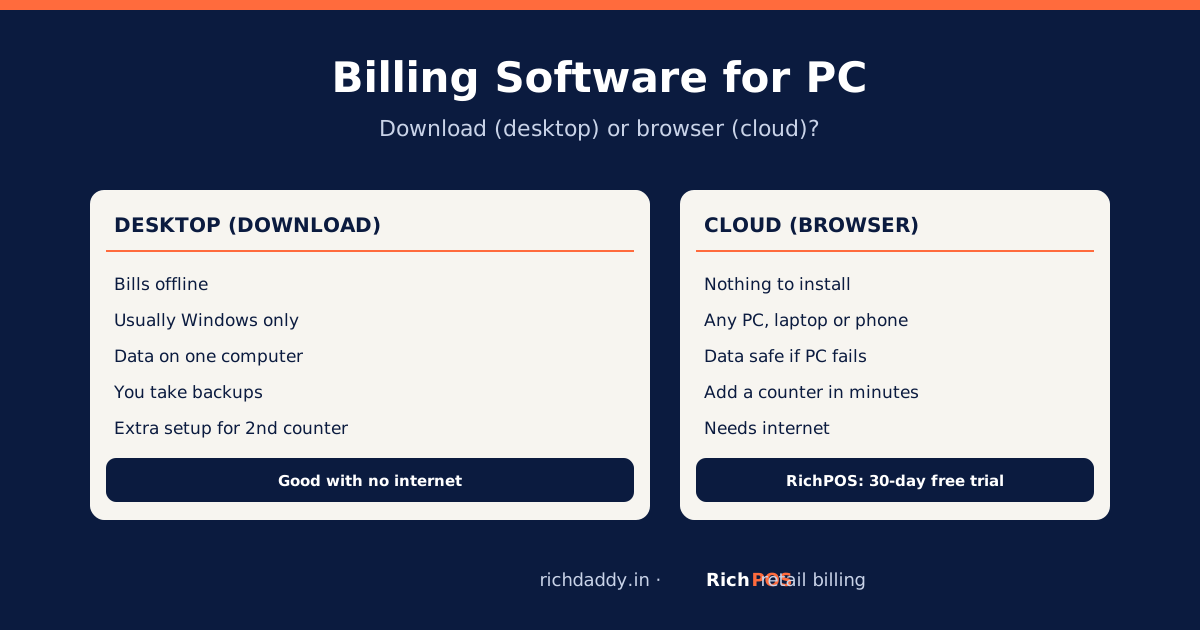
Billing software for a PC or laptop comes in two kinds: desktop software you download and install on one Windows computer, and cloud (browser-based) software you open in Chrome or Edge with nothing to install. Desktop software can bill offline but keeps data on that one computer; cloud software needs internet but works on any PC, laptop or phone, adds a second counter in minutes and keeps data safe if the computer fails. RichPOS is cloud billing that runs in any modern browser and on an Android app, with a 30-day free trial.
Many shop owners search for "billing software for PC free download" because that is how software used to work. Today you often do not need a download at all. This guide compares the two kinds honestly so you can choose for your counter.
Download (desktop) vs browser (cloud) billing software
| Point | Desktop software (download) | Cloud software (browser) |
|---|
| Install | Download and install on each Windows PC | Nothing to install; log in from a browser |
| Works on | Usually Windows only | Windows, Mac, Linux, Chromebook; often a phone app too |
| Internet | Can bill offline | Needs internet to bill |
| Data location | On that computer; you take backups | Online, with backups by the provider |
| If the PC is stolen or crashes | Data lost unless you had a backup | Log in from another device and continue |
| Second counter or branch | Needs network setup or another licence | Add a user and log in |
| Updates | Manual; sometimes a paid renewal | Automatic |
| Owner checking sales from home | Usually not possible | Yes, from a phone or laptop |
Desktop examples include Tally and Marg ERP (desktop-first) and Vyapar's Windows desktop app; RichPOS, myBillBook and Zoho Inventory run in the browser. See the comparison page for more.
Which one should your shop choose?
- Choose desktop if your shop has no reliable internet at all, you bill on one computer only, and you are disciplined about daily backups.
- Choose cloud if you have a broadband connection or good mobile data, want a second counter or a phone for billing, or want to check sales when you are not at the shop.
- Either way, test with your own items for a few days, including printing, returns and the day close.
Worried about keeping shop data online? Read is cloud billing software safe? and our billing data backup plan.
What you need to use RichPOS on a PC or laptop
| Item | Details |
|---|
| Computer | Any PC or laptop with a modern browser (Chrome, Edge, Firefox or Safari) |
| Internet | Broadband or mobile hotspot; keep a hotspot as backup |
| Printer | Thermal receipt printer (58 mm or 80 mm) or an A4 printer |
| Barcode scanner | Optional; a USB scanner works like a keyboard |
| Phone (optional) | Android app on the same account for a second counter |
No download is needed: open app.richdaddy.in/register, create the account, add your shop and GSTIN, import items, connect the printer and start billing. Backups can be downloaded for offline safekeeping. RichPOS has no offline mode, so a hotspot as backup is wise.
Is free billing software for PC worth it?
Free plans and free downloads exist, but check the limits before you rely on one: the number of items, bills or users, whether GST reports are included, whether your data can be exported if you leave, and who supports you. See best free GST billing software and billing software price in India. RichPOS has a free 30-day trial (up to 200 items and customers, 500 invoices, 1 warehouse and 1 user), then ₹99/month for the first 3 months, ₹199/month after, or ₹2,000/year with all features.
Bottom line
If your shop has internet, you no longer need to download billing software: a browser and a printer are enough, and your data survives a dead PC. Try it on your own counter with the RichPOS free trial, or see pricing.
FAQ
Frequently asked questions
Which is the best billing software for a PC?
It depends on your internet. If you have a reliable connection, cloud billing software that runs in the browser needs no download, works on any PC or laptop and keeps data safe if the computer fails; RichPOS is one example with a 30-day free trial. If you have no reliable internet, desktop software that bills offline may suit you better.
Do I need to download RichPOS on my computer?
No. RichPOS runs in any modern browser on a PC or laptop. Open app.richdaddy.in, log in and bill. There is also an Android app on the same account.
Can I use billing software on a PC without internet?
Desktop software can bill offline. Cloud software such as RichPOS needs an internet connection; keep a mobile hotspot as backup for outages.
Is cloud billing software safe for my shop data?
Cloud software stores data online with provider backups, so a stolen or crashed PC does not wipe your sales history. Use strong passwords, give each staff member their own login and download backups regularly for your own copy.
Can I use the same billing software on PC and phone?
With cloud software, yes. RichPOS works in a PC browser and on its Android app with the same items, customers, stock and reports.
ASWritten by Ashok SachdevFounder, RichPOS Software, Ahmedabad. We build RichPOS for Indian shops and write these guides from what shop owners ask us every day. Facts on tax rates and prices are dated; confirm GST matters with your CA. Questions? WhatsApp us.
Make GST bills in seconds with RichPOS
Billing, stock, WhatsApp bills and GST reports in one app. Free 30-day trial with no card, then ₹99/month for 3 months and ₹199/month after.