On this page · 7 sections
- How to set a credit limit: a 5-step method
- Credit customer categories: a simple policy
- How to explain a limit to customers
- Enforcing limits at the counter with software
- Common mistakes with udhaar limits
- Frequently asked questions
- Bottom line
Updated 17 October 2026 · By Ashok Sachdev
Quick answer
A credit limit is the maximum udhaar (amount due) a customer may carry at any time; once their dues reach it, they must pay before buying more on credit. Set each customer's limit from how much they buy in a typical month and how reliably they have paid, review it every few months, and let billing software enforce it: in RichPOS, a bill that would take a customer's dues past their limit is not saved.
Most Indian shops give credit to regular customers, and most udhaar problems start the same way: one good customer's dues grow a little every week until nobody is comfortable asking for the money. A written credit limit turns that awkward conversation into a simple rule. This checklist shows how to set limits, explain them to customers and enforce them at the counter.
How to set a credit limit: a 5-step method
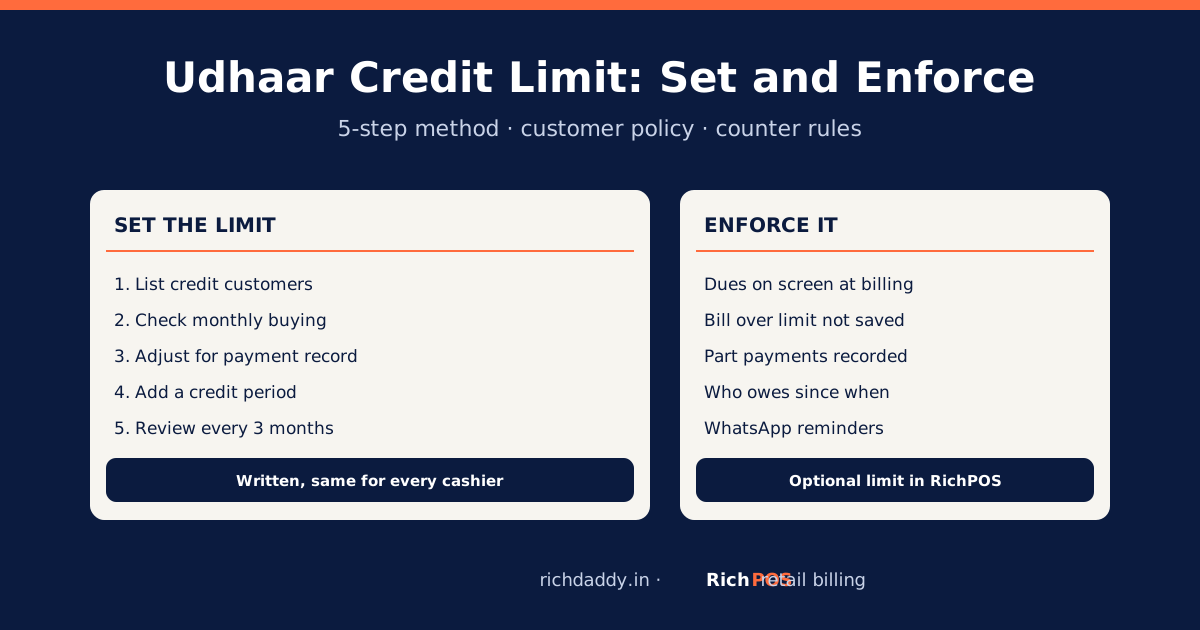
- List your credit customers with their current dues and how old the oldest unpaid bill is.
- Look at their monthly buying. A limit near what a customer normally buys between two payments is a natural starting point.
- Adjust for payment record. Pays on time every month: keep or raise. Pays late or in small parts: lower the limit or shorten the credit period.
- Set a credit period too, for example "pay by the 10th of next month", so the limit is not carried forever.
- Review every 3 months and after any missed payment.
There is no standard number; your margins, stock and the customer's history decide it. What matters is that every credit customer has a limit, written down and applied the same way by every cashier.
Credit customer categories: a simple policy
| Category | Payment record | Limit | Credit period |
|---|
| A: regular, reliable | Pays in full on time | About one month of their normal buying | Monthly |
| B: regular, sometimes late | Pays, but late or in parts | Lower than A | Fortnightly |
| C: new or irregular | No history or repeated delays | Small, or cash only | Weekly or none |
Write the categories in a notebook or in the customer record, and tell staff that only the owner can change a limit.
How to explain a limit to customers
- "Bhai, ab system mein har khate ki limit hai. Pichla clear karo, phir naya udhaar ho jayega." (Everyone's account has a limit in the system now; clear the old dues and new credit opens up.)
- Show them their statement on WhatsApp: dates, bills and part payments. A clear statement ends most arguments.
- Offer part payment: paying even part of the dues brings them back under the limit.
Ready-made polite, friendly and firm messages in English, Hindi and Gujarati: udhaar reminder message maker.
Enforcing limits at the counter with software
| Task | Notebook | RichPOS |
|---|
| Know a customer's dues before billing | Search the khata page | Customer-wise outstanding balance on screen |
| Stop credit beyond the limit | Depends on the cashier | Optional credit limit per customer: a bill that would cross it is not saved |
| Record part payments | Hand calculation | Recorded against open bills; balance updates |
| See how old the dues are | Flip back through pages | See who owes money and since when |
| Remind | Phone call | WhatsApp reminder with the amount due, from the customer record |
More: udhaar with WhatsApp reminders in RichPOS, how to recover udhaar and, in Hindi, उधार वापस कैसे लें.
Common mistakes with udhaar limits
- Limits only in the owner's head: staff give credit freely when the owner is away.
- Raising the limit to avoid an awkward talk: the dues just grow faster.
- No credit period: a customer can stay "under the limit" for a year without paying.
- Not recording part payments the same day: the statement is wrong and the customer stops trusting it.
- Mixing udhaar into the cash book: keep credit sales in the customer account, not as cash. See दुकान का हिसाब किताब.
Bottom line
Every credit customer should have a written limit and a payment date, applied the same way by every cashier. Software makes the rule automatic and the reminders easy: start the RichPOS free trial or see pricing.
FAQ
Frequently asked questions
What is a credit limit for udhaar customers?
It is the maximum amount a customer may owe the shop at any time. When their dues reach the limit, they must pay some or all of it before buying more on credit.
How do I decide a customer's credit limit?
Start from how much they normally buy between payments, then adjust for their payment record: higher for customers who always pay on time, lower or cash-only for late or new customers. Review limits every three months and after any missed payment.
Can billing software stop a sale that crosses the credit limit?
Yes. In RichPOS you can set an optional credit limit per customer; a bill that would take their dues past the limit is not saved, so the cashier must take payment first.
How do I ask a regular customer to clear udhaar politely?
Send a short WhatsApp statement with dates and amounts and a polite reminder, offer part payment, and explain that every account now has a limit in the system. A clear statement and a fixed rule make it less personal.
Should udhaar be recorded in the cash book?
No. A credit sale is recorded against the customer's account, not as cash. Only the payment, when it comes, goes into the cash or bank book.
Free tool: use the udhaar reminder message maker to send a polite payment reminder on WhatsApp in English, Hindi or Gujarati. No sign-up.
ASWritten by Ashok SachdevFounder, RichPOS Software, Ahmedabad. We build RichPOS for Indian shops and write these guides from what shop owners ask us every day. Facts on tax rates and prices are dated; confirm GST matters with your CA. Questions? WhatsApp us.
Make GST bills in seconds with RichPOS
Billing, stock, WhatsApp bills and GST reports in one app. Free 30-day trial with no card, then ₹99/month for 3 months and ₹199/month after.