On this page · 6 sections
- The two deductions side by side
- Worked example (illustrative numbers)
- How to claim them: checklist
- Doing it without spreadsheets
- Frequently asked questions
- Bottom line
Updated 18 October 2026 · By Ashok Sachdev · Sources: Notification 15/2024-Central Tax (GST Council); Income Tax Department TDS rate chart. Not tax advice; confirm with your CA.
Quick answer
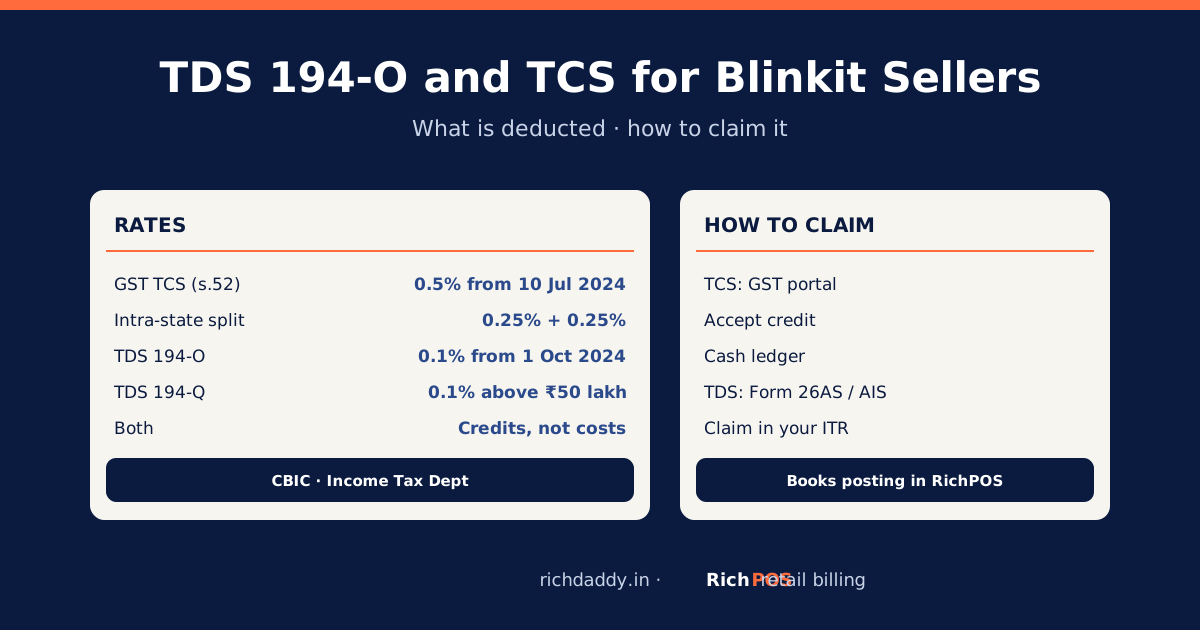
Blinkit deducts two different taxes from your payout. GST TCS under section 52 of the CGST Act is 0.5% of net taxable sales from 10 July 2024 (0.25% CGST + 0.25% SGST, or 0.5% IGST), and you claim it on the GST portal, where it is credited to your electronic cash ledger. Income-tax TDS under section 194-O is 0.1%, and you claim it in your income tax return after checking it in Form 26AS or AIS. Neither is a cost: both are credits against tax you owe.
The two deductions side by side
| GST TCS | Income-tax TDS |
|---|
| Law | Section 52, CGST Act | Section 194-O, Income-tax Act (the payout sheet labels the line 194-O and 194-Q) |
| Rate | 0.5% from 10 July 2024 (was 1%) | 0.1% (194-Q is also 0.1%, on purchases above ₹50 lakh) |
| On what | Net value of taxable supplies through the platform | Gross amount of sales through the platform |
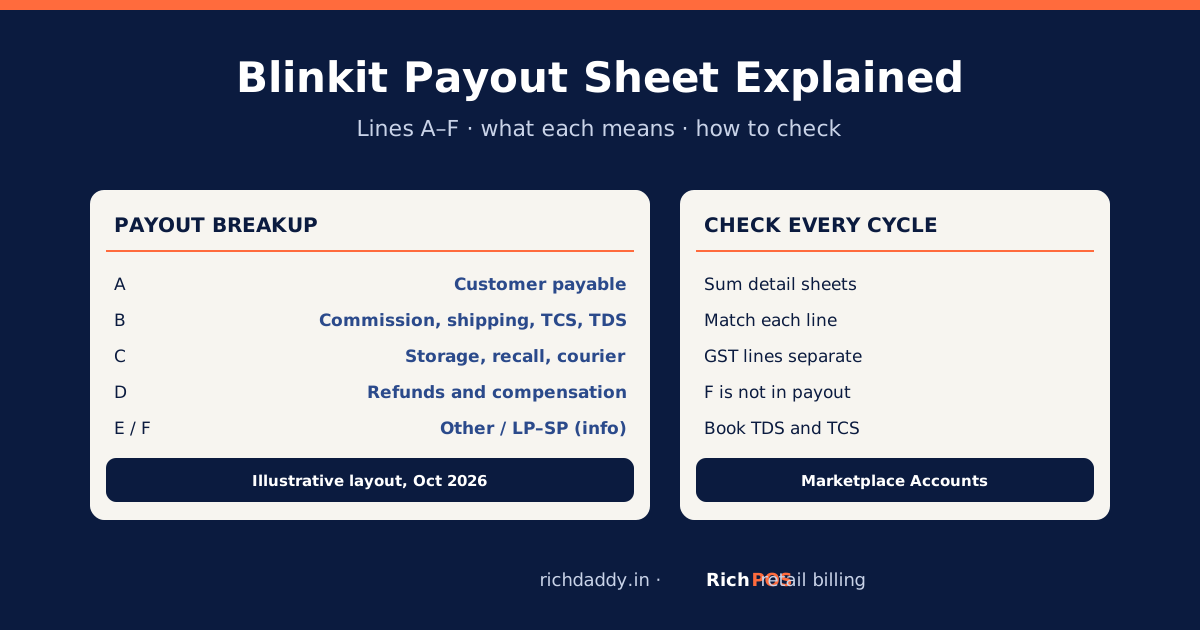
| Payout line | B4, TCS charge | B5, TDS charge |
| Where you see it | GST portal, TCS credit received | Form 26AS / AIS |
| How you use it | Accept it; it goes to your electronic cash ledger | Claim it in your ITR for that year |
Sources: Notification 15/2024-Central Tax (CGST TCS rate 0.25% from 10 July 2024); Income Tax Department TDS rates (194-O and 194-Q at 0.1%). PAN or Aadhaar problems can raise TDS; keep them linked.
Worked example (illustrative numbers)
In a month, your taxable sales through Blinkit are ₹2,00,000 (5% items, warehouse in your state).
- GST TCS: 0.5% × ₹2,00,000 = ₹1,000 (CGST ₹500 + SGST ₹500), shown on the GST portal after Blinkit files its TCS return.
- Income-tax TDS (194-O): about 0.1% × ₹2,00,000 = ₹200, shown in Form 26AS / AIS. Whether the base includes GST follows the income-tax rules; check the base Blinkit used on the TDS line.
The figures are made up to show the arithmetic. If your payout shows different amounts, check which base Blinkit used and ask about the difference.
How to claim them: checklist
| Step | GST TCS | Income-tax TDS |
|---|
| 1 | Total the TCS deducted (B4) for the month and note any TCS reimbursement line (D3) | Total the TDS deducted (B5) for the quarter and note any TDS reimbursement line (D4) |
| 2 | On the GST portal, open the TCS credit received for the period and match it | Download Form 26AS / AIS and match the TDS against Blinkit's TAN |
| 3 | Accept the matching entries; the credit goes to your electronic cash ledger | If an entry is missing or wrong, ask Blinkit to correct its TDS return |
| 4 | Use the cash ledger to pay GST | Claim the TDS in your ITR for that financial year |
| 5 | In your books, record both as receivable assets, not expenses; clear them when used |
If your GST returns need a refresher: GSTR-1 vs GSTR-3B and what your CA needs every month. Reading the whole payout: Blinkit payout sheet explained.
Doing it without spreadsheets
When you post a Blinkit cycle to the books in RichPOS Marketplace Accounts, TCS and TDS go to their own receivable accounts instead of expenses, and the GST on Blinkit's charges goes to the input credit register. See Marketplace Accounts for Blinkit sellers.
Bottom line
TCS and TDS are your money, held as tax credit. Match them every month, accept the TCS on the GST portal, and claim the TDS in your ITR. To book them correctly from each payout, see RichPOS Marketplace Accounts or start a free trial.
FAQ
Frequently asked questions
What is the TCS rate for Blinkit sellers?
GST TCS under section 52 of the CGST Act is 0.5% of net taxable sales from 10 July 2024: 0.25% CGST plus 0.25% SGST within a state, or 0.5% IGST across states (Notification 15/2024-Central Tax). It was 1% before.
What is the TDS rate under section 194-O?
0.1%, as listed in the Income Tax Department's TDS rate chart. It is deducted by the e-commerce operator on the gross amount of sales through the platform.
How do I claim GST TCS deducted by Blinkit?
After Blinkit files its TCS return, the credit shows on the GST portal as TCS credit received. Accept the matching entries; the amount is credited to your electronic cash ledger, which you can use to pay GST.
How do I claim TDS deducted by Blinkit?
Check the TDS in Form 26AS or AIS against Blinkit's TAN, then claim it in your income tax return for that year. If it is missing, ask Blinkit to correct its TDS return.
Is TCS or TDS a cost for my business?
No. Both are advance tax paid on your behalf and are credited against your GST or income tax. Record them as receivables in your books, not as expenses.
ASWritten by Ashok SachdevFounder, RichPOS Software, Ahmedabad. We build RichPOS for Indian shops and write these guides from what shop owners ask us every day. Facts on tax rates and prices are dated; confirm GST matters with your CA. Questions? WhatsApp us.
Make GST bills in seconds with RichPOS
Billing, stock, WhatsApp bills and GST reports in one app. Free 30-day trial with no card, then ₹99/month for 3 months and ₹199/month after.