Updated 17 October 2026 · By Ashok Sachdev · Legal reference: Section 36 of the CGST Act and Rule 46 of the CGST Rules (CBIC)
Quick answer
To switch billing software without losing data, export your item list, customer and supplier balances and stock from the old software, import them into the new one, start a new invoice number series on a clean date such as the 1st of a month, and keep the old software's bills and reports (as files or with read-only access) for at least six years. Run both for a day or two, check stock and dues match, then move the counter fully.
Most shop owners put off switching because they fear losing years of bills, customer dues or stock figures. Nothing has to be lost if you move the right data in the right order. This checklist works whether you are leaving Vyapar, Tally, Marg, myBillBook, a desktop program or a paper bill book.
What data should you move, and what should you keep?
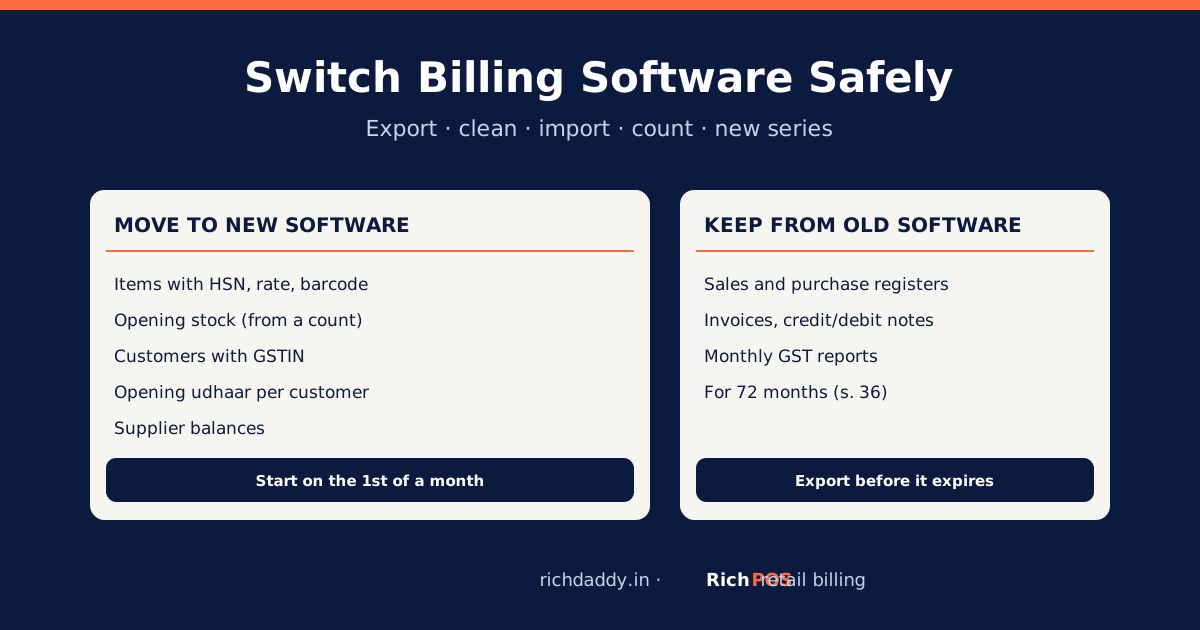
| Data | Move to new software? | How |
|---|---|---|
| Item list: name, barcode, price, MRP, HSN, GST rate, unit | Yes | Export to Excel or CSV, then import |
| Opening stock per item | Yes | Take a stock count on the switch date and enter it |
| Customers with GSTIN and phone | Yes | Export the party list |
| Customer dues (udhaar) on the switch date | Yes, as one opening balance per customer | Use the party balance report from the old software |
| Supplier balances on the switch date | Yes, as opening balances | Use the supplier ledger summary |
| Old bills and purchase entries | No, keep them in the old system or as exports | Export sales and purchase registers and GST reports to Excel or PDF |
| Old GST returns and reports | No, keep them | Save GSTR-1 data and HSN summaries for each month |
Moving every old bill into the new software is rarely worth it. What matters is that the new system starts with correct items, stock and balances, and that the old records stay available.
How long must you keep old billing records?
Under Section 36 of the CGST Act, a registered person must keep accounts and records until 72 months (six years) have passed from the due date of the annual return for that year. So before you cancel the old software, export everything you might need for an assessment or an audit: sales and purchase registers, invoices, credit and debit notes, and GST reports. Store the files in two places, such as a pen drive and cloud storage. Our billing data backup guide shows a simple plan.
Step-by-step: switching billing software
- Pick a switch date. The 1st of a month is easiest, because each month's GST return then comes mostly from one system. The 1st of April is cleanest of all.
- Export from the old software. Item list, party list (customers and suppliers), party balances, stock summary, and the sales and purchase registers. Most apps export to Excel or CSV.
- Clean the item list. Remove duplicates and dead items, check every HSN code and GST rate (many rates changed on 22 September 2025; see the HSN and GST rate list), and decide whether prices include GST.
- Set up the new software. Enter your shop name, address and GSTIN, bill layout and users. With RichPOS, start the 30-day free trial; no card is needed.
- Import items. Import the cleaned list from Excel. Print barcode labels for anything without a barcode.
- Enter opening stock. Count stock on the evening before the switch date and enter it. If the count differs from the old software, the count wins. See how to do a stock audit.
- Enter opening balances. One opening due per customer and one balance per supplier, taken from the old software's balance report on the same date.
- Start a new invoice series. Use a new prefix so numbers never clash with old bills, for example RP/26-27/0001. Rule 46 allows one or more series, as long as each number is unique for the financial year. See invoice number rules.
- Run both for a day or two. Bill in the new software and check totals, stock movement and cash at day close.
- Switch fully and stop billing in the old one. Keep it, or its exported files, for records.