
Android Billing App for Your Shop, Same Account as the Browser
Quick answerThe RichPOS Android app is a phone POS for the same account you use in the browser. Bill at the counter with automatic offers, loyalty points and gift vouchers applied, edit today's POS bills, turn a quotation into a bill, check stock and customers, ask RichPOS AI, and print on a Bluetooth or network thermal printer.
₹199/month or ₹2,000/year after the trial · All features included · No card needed
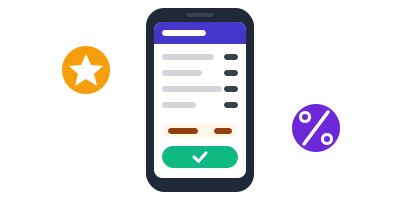
A bill builds up on a phone with an offer and points, then is marked paid
How to bill with the Android app
Start your account
Start the free trial at pos.richdaddy.in and add your items. The app uses the same account, items, customers and stock.
Log in on your phone
Install the RichPOS Android app and log in with your RichPOS user. Each staff member uses their own login and role.
Bill at the counter
Add items to the cart and pick the customer. Running offers, loyalty points and gift vouchers are worked out by the same rules as the browser POS.
Print or share
Print on a thermal printer over Bluetooth or the shop network, or share the bill as a PDF.
Fix and convert
Edit today's POS bills (with edit permission), and turn a quotation into a bill through the cart or straight away with payment or on credit.
What the app covers
| Feature | What it does in RichPOS |
|---|---|
| POS billing | Cart, held bills, customers, offers, points and vouchers applied by the server. |
| Edit today's bills | POS bills from today, for users with edit permission, unless the bill already has a return. |
| Quotation to bill | Convert through the cart (offers apply) or directly with payment or on credit. |
| RichPOS AI | Same AI chat and credits as the browser. |
| Stock and parties | Items, stock, labels, purchases, customers, suppliers, ledger, expenses and reports. |
| Repairs | Mobile repair job screens for repair shops. |
| Printing | Thermal printers over Bluetooth or LAN, or share as PDF. |
| Languages | English, Hindi and Gujarati. |
Good to know: Some owner tasks, such as issuing gift vouchers, stock audit, bulk price update, reorder lists and day close, are done in the browser app. RichPOS needs an internet connection.
Shops this helps most
Questions shop owners ask
Does RichPOS have an Android app?
Yes. The RichPOS Android app gives you a phone POS on the same account as the browser app at pos.richdaddy.in, with the same items, customers, stock and reports.
How do I get the app?
Start the free trial at pos.richdaddy.in, then message us on WhatsApp at +91 90333 31255 and we will help you install the app and log in.
Do offers, loyalty points and vouchers work in the app?
Yes. When you bill in the app, running offers, loyalty points and gift vouchers are worked out by the server with the same rules as the browser POS, so totals match.
Can I edit a bill from the app?
Yes, today's POS bills, if your role has edit permission and the bill has no return against it.
Can I print from the phone?
Yes. The app prints to thermal receipt printers over Bluetooth or the shop's network, and can share the bill as a PDF.
Is there an iPhone app?
The app is for Android. On an iPhone or iPad you can use RichPOS in the browser at pos.richdaddy.in.
Related tools in the same app
Guides
Bill from your phone with RichPOS
Free for 30 days, no card needed. Then ₹199 a month or ₹2,000 a year with every feature on this page included.