
Stock Audit by Scanning, Supplier Reorder Lists and Bulk Price Update
Quick answerRichPOS runs a stock audit for the whole shop or one category: scan each item and every scan adds one to the count. At the end you see short and excess quantity and value, and can post one stock adjustment. A Reorder page lists items running low, grouped by supplier, ready to send on WhatsApp.
₹199/month or ₹2,000/year after the trial · All features included · No card needed
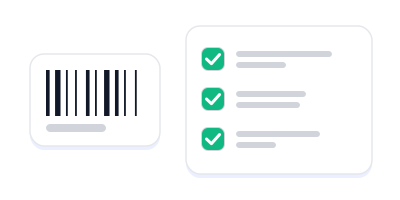
An item is scanned and the stock audit checklist is ticked row by row
How stock audit, reorder and bulk price work
Start an audit
Choose the whole store or one category. You can count over several sessions before finishing.
Scan or search
Scan a barcode or type an item code or SKU; each scan adds one. Search by name for loose items, or type the counted quantity directly.
Finish and review
Finishing freezes the system stock and purchase price on every line. You see short and excess quantity and value, matched items, and in-stock items nobody counted (listed, not treated as short).
Apply the adjustment
With permission, post one stock adjustment that brings stock in line with your count. For batch items, shortages come from the earliest-expiry batch.
Reorder from suppliers
The Reorder page lists items at or below their alert quantity or likely to run out within 7 days, with a suggested quantity, grouped by supplier. Send each list on WhatsApp or copy it.
Update prices in bulk
Pick items by category, brand or name, raise or cut the sales price or MRP by % or ₹, round to ₹1 or to end in 9, preview and apply. Undo the latest update within 24 hours.
Stock control features
| Feature | What it does in RichPOS |
|---|---|
| Audit scope | Whole store or one category. |
| Counting | Scan barcode, item code or SKU (+1 per scan), search by name, or type the count. |
| Audit result | Short and excess quantity and value at purchase price, matched count, uncounted items listed separately. |
| One-click adjustment | Posts a single stock adjustment from the audit; batch items handled earliest expiry first. |
| Reorder list | Items at or below alert quantity, or running out within 7 days at the last 30 days' pace. Suggested quantity covers about 15 days and can be edited. |
| Send to supplier | Grouped by the supplier of the latest purchase; opens WhatsApp with the list typed in, or copy it. |
| Bulk price update | Sales price or MRP by % or ₹ up or down, rounding to ₹1 or ending in 9, preview, up to 2,000 items per run, undo the latest run within 24 hours. |
Good to know: Reorder does not create a purchase order; you order on WhatsApp and enter the purchase when the goods arrive. Bulk price update never changes purchase price, and only the latest run can be undone.
Shops this helps most
Questions shop owners ask
How do I do a stock audit in RichPOS?
Open Stock Audit, start an audit for the whole store or one category, and scan each item; every scan adds one to its count. You can also search by name or type a quantity. When you finish, RichPOS shows what is short or extra, in quantity and in value at purchase price.
Does the audit change my stock automatically?
No. Finishing the audit only gives you the result. A user with stock adjustment permission can then post one stock adjustment that brings stock in line with the count.
What happens to items I did not count?
Items that are in stock but were not counted are listed separately. They are not treated as missing, so a partial count does not wipe out stock.
How does the reorder list decide what to buy?
An item is listed when it is at or below its alert quantity, or when it will run out within 7 days at the pace it sold over the last 30 days. The suggested quantity covers about 15 days of sales, and you can change it.
Can I send the reorder list to my supplier on WhatsApp?
Yes. Items are grouped by the supplier you last bought them from. Tap WhatsApp to open a chat with the supplier with the list already typed, or copy the list.
Can I raise prices for a whole category at once?
Yes. Bulk Price Update lets you pick items by category, brand or name and change the sales price or MRP by a percentage or a rupee amount, with rounding. You see a preview before applying.
What if I make a mistake in a bulk price update?
You can undo the latest bulk update within 24 hours. Items whose price was changed again after the update are skipped by the undo.
Related tools in the same app
Guides
Count your stock with a scanner, not a notebook
Free for 30 days, no card needed. Then ₹199 a month or ₹2,000 a year with every feature on this page included.