
Staff Control for Shop Owners: Activity Log, Discount Limits and Hidden Profit
Quick answerRichPOS lets the owner see what staff do without standing at the counter. The Activity Log records bill edits and deletes, price changes, role changes and logins with the user and time. Each role gets a maximum discount %, the POS page never shows purchase price, and dashboard profit opens only after the user types their password.
₹199/month or ₹2,000/year after the trial · All features included · No card needed
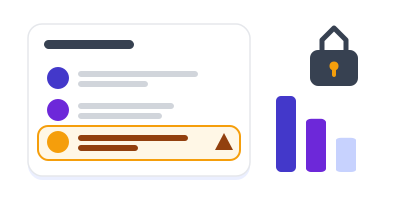
Activity log rows appear, one change is flagged and profit stays locked
How staff control works in RichPOS
Make roles
Create roles such as salesman or manager and tick the pages and actions each one may use. Set a maximum discount % for the role (blank means no limit).
Each person bills under their own login
Every bill carries the name of the user who made it. The POS page does not receive purchase cost, so it is never shown to the person billing.
Bills over the limit are stopped
If a bill's discount, including a price typed lower than your rate, is above the role's limit, the bill is not saved and the cashier is asked to get it made by the admin.
Check the Activity Log
See who edited or deleted a bill, payment, return or purchase, changed an item price or a role, and every login and failed login, with filters by date, user and action.
Compare staff
The Staff Sales report shows each biller's bills, sales, average bill, discount given and returns for any date range, with the bills behind each figure and a CSV download.
Owner control features
| Feature | What it does in RichPOS |
|---|---|
| Activity log | Edits and deletes of bills, payments, returns, purchases, items, customers, expenses and stock adjustments; price changes; role and user changes; bulk price updates and undo; logins and failed logins with IP. |
| Today at a glance | Counts of today's deletes, edits, price changes and failed logins at the top of the log. |
| Max discount per role | 0 to 100% per role. A lowered price counts as discount. Coupons, your automatic offers, loyalty points, vouchers and box prices do not count. |
| Cost hidden on POS | Purchase price is not sent to the POS page. |
| Profit behind a password | Gross profit on the dashboard is hidden until the user enters their login password, then shows for 15 minutes. While locked, RichPOS AI will not discuss profit, margin or cost. |
| Staff sales report | Per biller: bills, sales, average bill, bill / item / coupon / offer / points discount, returns. CSV download. |
| Blind cash count | Optional: staff enter the counted cash at day close without seeing the expected amount. |
Good to know: Discount limits are set per role, not per person. The store owner and admins are never limited, and only the store admin (not salesman roles) can open the Activity Log.
Questions shop owners ask
Can I see if a staff member deleted or edited a bill?
Yes. The Activity Log records every edit and delete of bills, payments, sales returns and purchases with the user's name and the time. You can filter by date, user and type of action, and the top of the page shows today's number of deletes and edits.
Does RichPOS log price changes?
Yes. Item price changes, bulk price updates and their undo are all recorded in the Activity Log with who made them and when.
How do I stop a salesman giving too much discount?
Set a maximum discount % on the salesman's role. RichPOS compares the bill with your item rates; if the discount, including a price typed lower, is over the limit, the bill is not saved. Your own automatic offers, coupons, points and vouchers are not counted against the limit.
Can staff see my purchase price or profit?
The POS page never shows purchase price. Gross profit on the dashboard stays hidden until the user types their login password, and then it shows for 15 minutes. You can also hide report pages from staff roles.
Can I see failed login attempts?
Yes. Logins and failed logins are in the Activity Log with the IP address, so you can spot someone trying passwords.
Who can open the Activity Log?
The store owner or admin. Salesman roles cannot see it, so staff cannot check or hide what was recorded.
Can I compare how much each salesman sells?
Yes. The Staff Sales report lists, for each biller, the number of bills, total sales, average bill value, discount given and returns for the dates you choose, with a CSV download.
Related tools in the same app
Guides
Know what happens at your counter, even when you're away
Free for 30 days, no card needed. Then ₹199 a month or ₹2,000 a year with every feature on this page included.