
Unit Conversion Billing Software: Buy in Boxes, Sell in Pieces
Quick answerIn RichPOS you give an item extra units, such as 1 Box = 12 PCs, each with its own purchase price, sales price and barcode. Enter purchases in boxes and RichPOS keeps stock in pieces. Scan a box barcode on the POS to bill the full box at your box price, and stock shows as '5 Box + 3 PCs'.
₹199/month or ₹2,000/year after the trial · All features included · No card needed
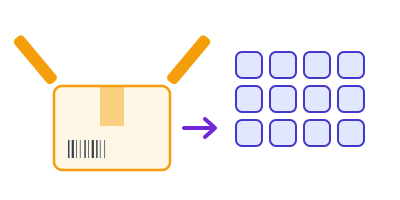
A box opens and becomes 12 pieces in stock
How box and piece units work
Add other units to the item
On the item form, under Other units, add a unit such as Box with '1 Box = 12 PCs', its purchase price, its sales price and its own barcode.
Buy in boxes
On the purchase bill pick the box unit and type the number of boxes. RichPOS converts it, so 2 boxes of 12 add 24 pieces to stock.
Sell a box or a piece
Scan the box barcode on the POS, Sales or Purchase screen and the full box is added at the box price. Scan the piece barcode to sell single pieces.
Read stock both ways
The item list and stock report show stock as boxes plus pieces, for example '5 Box + 3 PCs', while the count underneath stays in pieces.
Unit conversion features
| Feature | What it does in RichPOS |
|---|---|
| Any factor | 1 Box = 12 PCs, 1 Carton = 24 PCs, or any number you set. |
| Own price per unit | Separate purchase and sales price for the box. |
| Own barcode per unit | Box barcode on POS, Sales and Purchase screens adds factor × pieces. |
| Stock in base unit | Stock is always kept in the base unit, so pieces and boxes never get out of step. |
| Clear bills | Lines show quantity as '2 Box (24 PCs)'. |
| Staff discount limit | A full box sold at your box price is not counted as discount for a salesman's limit. |
Good to know: Box units and box barcodes work in the browser app (POS, Sales and Purchase). RichPOS does not connect to weighing scales; loose goods are billed by typed quantity.
Shops this helps most
Questions shop owners ask
Can I buy in boxes and sell in pieces?
Yes. Add a box unit to the item, for example 1 Box = 12 PCs. Enter the purchase in boxes and RichPOS adds the right number of pieces to stock. At the counter you can sell single pieces or a full box.
Can a box have its own barcode?
Yes. Each extra unit can have its own barcode. Scanning the box barcode on the POS adds the full box (for example 12 pieces) at the box sales price.
How is stock shown when I have loose pieces?
Stock is counted in pieces and shown as boxes plus pieces, such as '5 Box + 3 PCs', on the item list and in the stock report.
Can the box price be lower than 12 single pieces?
Yes. The box has its own sales price, so you can give a box rate. Selling a full box at your box price does not count as discount against a salesman's limit.
Can I have more than one extra unit, like box and carton?
Yes. The item form takes more than one extra unit, each with its own factor, prices and barcode.
What is the difference from the barcode billing page?
Barcode billing covers scanning and label printing for all items. Unit conversion is about items you buy and sell in different packs; both work together on the same POS.
Related tools in the same app
Guides
Stop converting boxes to pieces by hand
Free for 30 days, no card needed. Then ₹199 a month or ₹2,000 a year with every feature on this page included.