← All guidesGST guides

How to Make a GST Bill on Mobile: Step-by-Step (2026)

Make a valid GST bill on your phone in 7 steps: shop GSTIN, items with HSN and rate, customer, payment, then WhatsApp or print. Rule 46 fields listed.

Ashok Sachdev · 11 min read
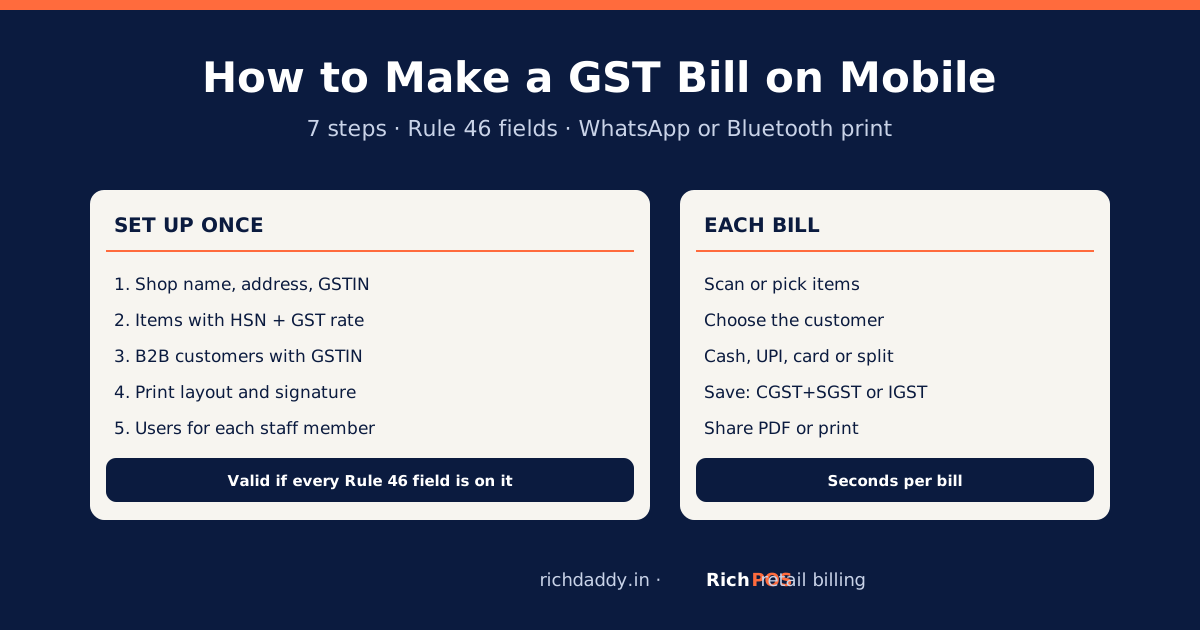
How to make a GST bill on a mobile phone: setup once, then bill, share on WhatsApp or print
On this page · 10 sections
  1. Can you make a GST bill on a mobile phone?
  2. What must a GST bill made on mobile show?
  3. How to make a GST bill on mobile: step by step
  4. CGST + SGST or IGST: which does the app charge?
  5. Worked example: a ₹1,180 bill
  6. Sharing vs printing a GST bill from a phone
  7. Common mistakes when billing on mobile
  8. What a phone billing app cannot do for you
  9. Frequently asked questions
  10. Bottom line

Updated 17 October 2026 · By Ashok Sachdev · Sources: CGST Rule 46 and Rule 48 on the CBIC tax information portal

Quick answer

To make a GST bill on your mobile, install a GST billing app, enter your shop name, address and GSTIN once, add each item with its HSN code and GST rate, then pick the items, add the customer (with their GSTIN for a B2B sale) and save. The app works out CGST + SGST or IGST and numbers the bill; you share it on WhatsApp as a PDF or print it on a Bluetooth thermal printer.

A phone bill is a valid GST tax invoice as long as it carries the details listed in Rule 46 of the CGST Rules. The law does not care whether the bill came from a phone, a computer or a carbon-copy bill book. This guide shows the steps, what must be on the bill and the mistakes that make a phone bill wrong.

Can you make a GST bill on a mobile phone?

Yes. A GST invoice can be made on any device. What makes it valid is its content: your GSTIN, a unique serial number, the date, item details with HSN, taxable value, the tax rate and tax amount, and your signature or digital signature. A billing app on the phone fills most of these from your settings and item list, so the cashier only picks items and the customer.

Phone billing suits small counters, home businesses, a second counter in a busy season, and owners who want to bill while away from the main computer. A shop with a long queue usually still bills faster on a computer with a barcode scanner. See mobile vs computer billing software for that choice.

What must a GST bill made on mobile show?

Rule 46 lists the particulars of a tax invoice. These are the ones a retail shop deals with every day:

FieldWhat to enterSet once or per bill?
Your name, address, GSTINAs on your GST registration certificateOnce, in shop settings
Invoice numberConsecutive serial number, up to 16 characters, unique in the financial yearAutomatic
Date of issueThe date of the saleAutomatic
Buyer name, address, GSTINRequired when the buyer is GST-registered (B2B)Per bill (save the customer once)
Buyer name and delivery address for a B2C billRequired when the buyer is unregistered and the taxable value is ₹50,000 or more; below that only if the buyer asksPer bill
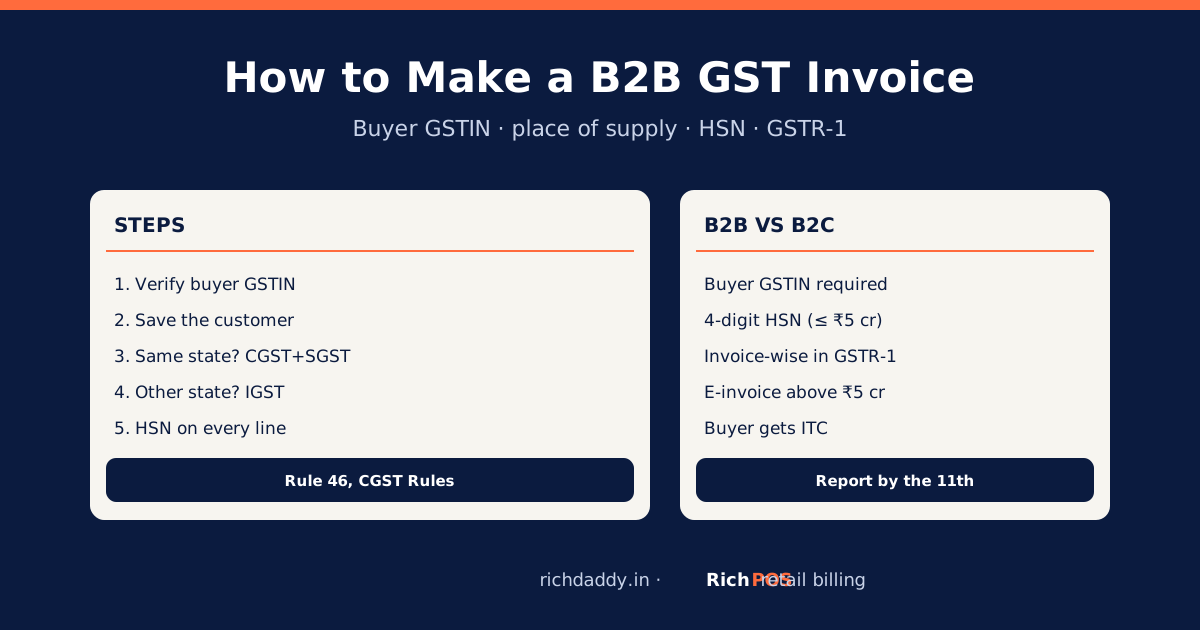
HSN code4 digits for B2B if turnover is up to ₹5 crore; 6 digits on all bills above ₹5 croreOnce, on each item
Description, quantity, unitItem name and how manyPer bill
Taxable valueValue after any discountAutomatic
GST rate and amountCGST + SGST for a sale within your state; IGST for a sale to another stateRate once on the item; split automatic
Place of supplyState name, needed for an inter-state salePer bill when it applies
SignaturePhysical or digital signature of the supplier or an authorised personOnce (on the print layout)

If you are under the composition scheme, you do not issue a tax invoice. You issue a bill of supply without GST shown separately. Most billing apps have a setting for this.

How to make a GST bill on mobile: step by step

The menus differ from app to app, but the order of work is the same. Here it is with RichPOS, which runs in your phone's browser and as an Android app on the same account.

  1. Create your account. Start the free 30-day trial at app.richdaddy.in/register. No card is needed.
  2. Enter your shop details. Add the shop name, address, phone and GSTIN exactly as on your GST certificate. These print at the top of every bill.
  3. Add your items. For each item enter the name, sale price, HSN code and GST rate. If you have many items, import them from Excel or scan barcodes instead of typing. Not sure of a rate? Look it up in the HSN and GST rate finder.
  4. Save regular customers. For business buyers, save their name, address and GSTIN once. RichPOS prints the buyer's GSTIN on the bill when it is saved on the customer.
  5. Make the bill. Open billing, search or scan items, change the quantity, and pick the customer. Walk-in buyers can stay as a cash customer.
  6. Take payment. Record cash, card, UPI or a split of these on the same bill. If the customer will pay later, leave it on credit (udhaar) against their name.
  7. Save, then share or print. Save the bill. From the Android app, print on a thermal printer over Bluetooth or the shop network, or share the bill as a PDF on WhatsApp.

That is the whole job at the counter: steps 1 to 4 are done once, steps 5 to 7 take seconds per bill.

CGST + SGST or IGST: which does the app charge?

It depends on where the goods are supplied, not on what you sell. A walk-in sale in your shop is within your state, so the bill shows CGST and SGST, each at half the rate. An 18% item becomes 9% CGST + 9% SGST. When you send goods to a buyer in another state, the bill shows IGST at the full rate. A good app chooses the split from your state and the customer's state. Read more in intra-state vs inter-state GST.
Worked example: a ₹1,180 bill

A customer in Ahmedabad buys pens worth ₹1,000 before tax from a shop in Ahmedabad. Ball pens and gel pens are taxed at 18% (HSN 9608), so the bill looks like this:

LineAmount
Taxable value₹1,000.00
CGST @ 9%₹90.00
SGST @ 9%₹90.00
Invoice total₹1,180.00

If the same item went to a buyer in Maharashtra, the bill would show IGST @ 18% = ₹180 instead of the two lines. To check a figure by hand, use the free GST calculator.

Sharing vs printing a GST bill from a phone

A bill sent on WhatsApp or email is fine for most retail customers and costs nothing. Some buyers, especially businesses, still want a printed copy. For goods, Rule 48 says the invoice is prepared in triplicate: the original for the buyer, a duplicate for the transporter and a triplicate for you. At a shop counter the buyer takes the original and your copy stays in the app.

OptionGood forNeeds
WhatsApp PDFWalk-in buyers, home delivery, repeat customersCustomer's mobile number
Bluetooth thermal printer (58 mm or 80 mm)Counter receiptsA printer paired with the phone
A4 printB2B bills with full buyer detailsAn A4 printer, usually at a computer

For the paper size choice, see 58 mm vs 80 mm thermal printers and thermal vs A4 invoices.

Common mistakes when billing on mobile

  • Wrong GST rate on an item. Rates changed for many goods from 22 September 2025. Check each item once against its HSN code instead of copying an old bill. See the 2026 GST rates guide for retailers.
  • Two invoice series on two phones. If two staff bill on separate free apps, numbers clash. Use one account with separate user logins so every bill gets a unique number. See invoice number rules.
  • Missing buyer GSTIN on a B2B bill. Without it the buyer cannot claim input tax credit, and they will ask you to cancel and reissue.
  • Typing prices with GST included as if they were before GST. Decide whether item prices include tax, and set the item that way.
  • Deleting a bill instead of a credit note. For a return, issue a credit note rather than deleting the sale.

What a phone billing app cannot do for you

Be clear about the limits before you choose. RichPOS needs an internet connection to bill, so a shop with very patchy internet should test it in the trial first. It does not generate e-invoices (IRN) or e-way bills, and it does not file returns on the GST portal. It gives you a GSTR-1 sales report and GST reports by HSN in Excel, CSV or PDF for your CA. If your turnover makes e-invoicing compulsory, read GST e-invoicing for retailers first.

Bottom line

A GST bill on mobile is as valid as one from a computer when every Rule 46 field is there. Set your GSTIN and item HSN codes once, and each bill afterwards takes seconds. To try it on your own items, start the free RichPOS trial or see pricing.

FAQ

Frequently asked questions

Is a GST bill made on a mobile app valid?
Yes. GST law does not prescribe a device. A bill from a phone app is a valid tax invoice when it shows the Rule 46 particulars: your name, address and GSTIN, a unique serial number, date, buyer details where needed, HSN, description, quantity, taxable value, GST rate and amount, and a signature or digital signature.
Which app is best to make a GST bill on mobile?
Pick an app that keeps the HSN and GST rate on each item, numbers bills automatically, prints the buyer's GSTIN for B2B bills, shares bills on WhatsApp and gives a GSTR-1 report for your CA. RichPOS does this in the phone browser and on an Android app for ₹99/month for the first 3 months, then ₹199/month, or ₹2,000/year, after a free 30-day trial. Vyapar and myBillBook are other phone-first options; compare them on our comparison page.
Can I print a GST bill from my phone?
Yes, with a printer that the phone can reach. The RichPOS Android app prints on thermal printers over Bluetooth or the shop network, or shares the bill as a PDF that you can print elsewhere.
Do I need the customer's GSTIN to make a GST bill?
Only for a B2B sale to a registered buyer. For an unregistered buyer you need their name and delivery address when the taxable value is ₹50,000 or more, and only if they ask when it is below that.
Can I make a GST bill without a GST number?
No. Only a GST-registered person can issue a tax invoice and charge GST. A shop below the registration limit issues a plain bill without GST. See bills without a GST number.
Is HSN code compulsory on a mobile GST bill?
If your turnover in the previous year was up to ₹5 crore, a 4-digit HSN is required on B2B bills and optional on B2C bills. Above ₹5 crore, a 6-digit HSN is required on all tax invoices. Saving the HSN on each item puts it on every bill without extra work.
Built for thisGST billing software →Every GST field on the bill and GST reports by HSN for your CA.

Need a quick figure? Use the free GST calculator to add or remove GST.

Written by Ashok Sachdev

Founder, RichPOS Software, Ahmedabad. We build RichPOS for Indian shops and write these guides from what shop owners ask us every day. Facts on tax rates and prices are dated; confirm GST matters with your CA. Questions? WhatsApp us.

Make GST bills in seconds with RichPOS

Billing, stock, WhatsApp bills and GST reports in one app. Free 30-day trial with no card, then ₹99/month for 3 months and ₹199/month after.