Most retail shops don't pick billing software once — they pick it twice. The first time is rushed: a cheap plan, a demo that looked fine, a decision made in an afternoon. The second time is a forced switch six months later, after GST filing turns into a manual mess or the software can't handle a second store.
Here's the checklist that actually predicts which one you'll get.
When should a shop move from spreadsheets to billing software?
Move when stock counts stop matching the shelf, billing slows the queue, or GST filing takes a weekend of reconciling. Those three signs usually show up together once a shop adds a second counter or a second store. Five signs that a spreadsheet is no longer enough:
Stock counts never match reality. Manual entry means someone forgets to log a sale or a return, and by month-end nobody trusts the numbers. Billing that deducts stock as you sell fixes this: see inventory and barcode.
Billing takes too long at the counter. Hunting for a product row while customers wait loses sales. A barcode-driven counter is faster: see billing and POS.
GST filing turns into a weekend project. Reports built from your bills give GST-ready summaries by HSN in minutes: see GST reports.
You cannot see all your stores at once. A spreadsheet per branch means phone calls at day-end. One account for every store fixes that: see multi-store and warehouses.
One mistake breaks the whole file. A bad formula or an accidental delete can undo weeks of records. A real database with backups does not have that problem: see database backup.
Why the wrong billing software costs more than it saves
A billing system isn't just a receipt printer. It's your inventory ledger, your GST filing source, and often the only record of what actually sold. Software that's missing one core piece — GST-ready invoices, real inventory sync, multi-store visibility — doesn't fail loudly. It fails quietly, in the form of mismatched stock counts, GST returns that need manual correction every month, and staff who go back to a notebook because the software is slower than writing it down.
The 10-point checklist
GST-compliant invoicing by default. GSTIN, HSN/SAC codes, and CGST/SGST or IGST split should be automatic on every bill, not a manual add-on.
HSN/SAC auto-mapping. You shouldn't have to look up and type a code for every product category yourself.
Barcode scanning with live inventory sync. A sale should deduct stock in real time — not require an end-of-day manual reconciliation.
Multi-store support from one login. If you run (or plan to run) more than one outlet, check whether stock and sales roll up centrally or live in separate silos.
Internet dependence. Cloud billing needs a connection. Ask what happens if the internet drops, and keep a phone hotspot as backup. RichPOS is cloud-based and needs internet; it has no offline mode.
One-click GST report exports. GSTR-1 and GSTR-3B-ready exports save hours every filing cycle compared to rebuilding reports from raw sales data.
Role-based staff access. Cashiers shouldn't be able to edit prices or delete bills; owners should see everything.
Daily backups on RichPOS servers, plus Excel/CSV/PDF export you control. Ask specifically: can you export your full sales and inventory history if you switch vendors later?
Transparent per-shop pricing. Watch for plans that look cheap per store but charge extra for inventory, GST reports, or barcode features separately.
Support that responds same-day. Billing software failing at checkout with a queue of customers waiting isn't a bug you can wait 48 hours to hear back on.
Red flags to watch for when evaluating vendors
A few patterns are worth treating as dealbreakers, not minor annoyances:
GST reports that need manual correction every month — a sign the invoicing logic isn't actually compliant, just close enough.
No clear answer on what happens when the internet drops, whether the software is offline-capable or online-only.
Inventory that has to be updated separately from billing — two systems that don't talk to each other defeat the point of a POS.
Vague answers on data export. If a vendor won't give a straight answer on getting your data out, that's the answer.
How RichPOS scores on this checklist
RichPOS covers most of this list: GST-compliant billing with GST reports by HSN/SAC that export to Excel, CSV or PDF, live barcode inventory sync, multi-store billing from one account, role-based staff logins and data kept on RichPOS's cloud server, with exports to Excel, CSV or PDF for your own copy. It is honest to say what it does not do: RichPOS has no offline billing mode, so it needs an internet connection at the counter. Pricing: a 30-day free trial, then ₹99/month for the first 3 months, then ₹199/month, or ₹2,000/year. For a general store, see billing software for retail shops. See how it stacks up directly against another popular choice in our RichPOS vs Vyapar comparison.
What's the most important feature in billing software for a retail shop?
GST-compliant invoicing that works automatically — correct GSTIN, HSN/SAC codes, and tax split on every bill without manual entry. Everything else compounds on top of getting this right.
Do I need multi-store support if I only have one shop right now?
Check it anyway if expansion is even a possibility. Switching billing software later means migrating months of sales and inventory history, which is far more disruptive than picking software that scales from day one.
Is offline billing really necessary?
Only if your area has frequent outages. Offline-capable desktop software works without internet but usually keeps data on one PC. Cloud software like RichPOS needs internet but works from any device, with data stored on the server. Many shops keep a phone hotspot as backup.
How do I know if a vendor's GST reports are actually accurate?
Ask for a live demo using your real product categories and tax rates, not a generic sample. If the GSTR-1/3B export needs manual fixing during the demo, it'll need fixing every month in production.
Can one system handle GST billing, stock and more than one store?
Yes. Retail billing software such as RichPOS combines GST billing, barcode stock and multiple stores and warehouses on one account. Check that the plan you pick covers every store you run.
How do I move 2,000+ items from a register into software?
Don't type them one by one. Copy the register into one Excel sheet with a row per item: name, HSN code, GST rate, sale price, MRP, opening stock and barcode if it has one. Save it as CSV and import it. RichPOS imports items, customers and suppliers from a CSV file saved from Excel. The free trial holds up to 200 items, so test with your best sellers first, then import the full list on a paid plan.
What makes billing slow at rush hour?
Usually the steps, not the computer: typing item names instead of scanning, items with no price or GST rate saved, and a slow printer. Before the rush, give every item a barcode (print labels for loose items), keep prices and GST rates in the item list, and bill to a thermal printer. RichPOS has no offline mode and needs internet to bill, so keep a stable connection and a phone hotspot as backup.
Founder, RichPOS Software, Ahmedabad. We build RichPOS for Indian shops and write these guides from what shop owners ask us every day. Facts on tax rates and prices are dated; confirm GST matters with your CA. Questions? WhatsApp us.
Make GST bills in seconds with RichPOS
Billing, stock, WhatsApp bills and GST reports in one app. Free 30-day trial with no card, then ₹99/month for 3 months and ₹199/month after.
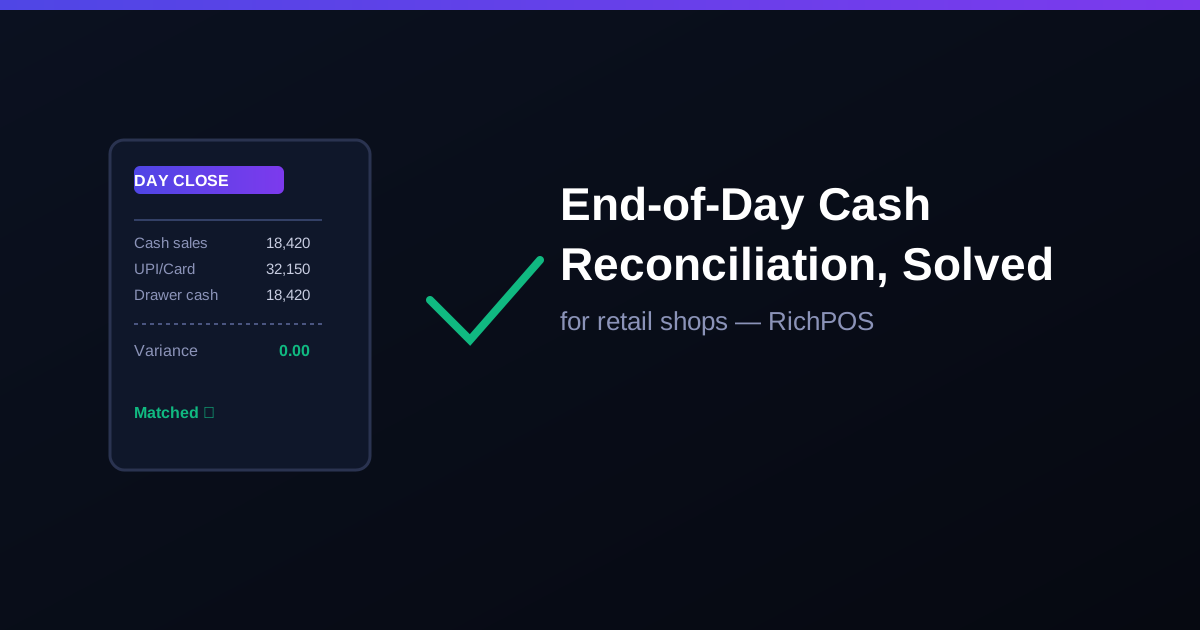
End-of-Day Cash Reconciliation for Retail ShopsCash drawer not matching your sales report? Here's how retail shops in India close the day fast with automatic cash-vs-sales reconciliation in RichPOS.