GSTR-1 Mistake After Filing: GSTR-1A, Amendments and Deadline
A filed GSTR-1 can't be deleted. Fix it with GSTR-1A before GSTR-3B, or amend it in a later GSTR-1 (Tables 9A, 9C, 10). FY 2025-26 corrections close on 30 November 2026.
Updated 13 November 2026 · By Ashok Sachdev · Source: Section 37 of the CGST Act (CBIC), Notification 12/2024-Central Tax (FORM GSTR-1A) and the GSTN advisory on GSTR-1A of 26 July 2024
Quick answer
You cannot delete or edit an invoice in a GSTR-1 that is already filed. You correct it instead. If you have not yet filed GSTR-3B for that month, use GSTR-1A, an optional form for the same period that you can file once. If GSTR-3B is already filed, amend the invoice in the GSTR-1 of a later month (Table 9A for B2B invoices, Table 10 for B2C totals, Table 9C for credit and debit notes), or issue a credit note if the sale itself changed. Corrections for FY 2025-26 must be made by 30 November 2026, or earlier if you file the annual return before that.
Every shop that files GSTR-1 makes this mistake sooner or later: a bill left out, a wrong GSTIN, 18% typed as 5%, a cancelled bill that still went into the return, or the same invoice uploaded twice. The GST portal has no "delete" button after filing, because the moment you file, your data has already gone to your buyer's GSTR-2B and to your own GSTR-3B. This guide explains which fix fits which mistake, and the deadline that matters right now. If the bill itself (not the return) is the problem, start with how to cancel or amend a GST invoice.
Why you cannot delete an invoice after filing GSTR-1
When you file GSTR-1, three things happen at once:
Your B2B invoices reach each buyer's Invoice Management System (IMS) and GSTR-2B, where they can claim input tax credit on them.
Your sales figures auto-fill the liability in your own GSTR-3B for the month.
The return becomes a filed legal record under Section 37 of the CGST Act.
If you could quietly delete an invoice, your buyer's credit would vanish without anyone knowing why. So the law allows only rectification: you show the original entry and, beside it, the corrected entry. That correction travels to the buyer too, which is the point.
Report it in the next GSTR-1 with its original date; pay any short tax with interest
Wrong taxable value or GST rate on a B2B invoice
Correct it in GSTR-1A
Amend it in Table 9A of a later GSTR-1
Wrong buyer GSTIN
Not allowed in GSTR-1A
Amend it in Table 9A of the next GSTR-1 and tell the buyer
Wrong amount in B2C (small) sales total
Correct it in GSTR-1A
Amend the month's figure in Table 10 of a later GSTR-1
Bill reported, but the sale never happened
Correct or remove the value in GSTR-1A
Amend the invoice to zero value in Table 9A, as your CA advises
Same invoice uploaded twice
Correct it in GSTR-1A
Amend the duplicate to zero value in Table 9A
Goods came back or price was reduced after a valid sale
Not a reporting mistake: issue a credit note and report it in the month you issue it (Table 9B)
Wrong credit or debit note details
Correct it in GSTR-1A
Amend it in Table 9C of a later GSTR-1
Table numbers are those of FORM GSTR-1. A wrong place of supply (IGST charged instead of CGST + SGST, or the reverse) is also amended this way, but tax paid under the wrong head is not shifted across automatically; your CA has to handle the refund side separately.
What is GSTR-1A?
GSTR-1A is an optional return, brought in by Notification 12/2024-Central Tax and opened on the portal from the July 2024 period (August 2024 onwards). It lets you add or correct the current month's sales after filing GSTR-1 but before filing GSTR-3B, so the corrected numbers flow into the same month's GSTR-3B.
When it opens: for monthly filers, from the GSTR-1 due date or the date you actually filed it, whichever is later, until you file that month's GSTR-3B. For quarterly (QRMP) filers it is available for the quarter, on the same logic.
How often: once per tax period.
What it changes: GSTR-3B is auto-filled with the net figure of GSTR-1 plus GSTR-1A. Your buyer sees the change in the GSTR-2B of the following month.
What it cannot do: change the buyer's GSTIN. That correction must go through a later GSTR-1. Quarterly filers also get no GSTR-1A for the first two months of a quarter (the IFF months); it is available only for the quarter as a whole.
Is it compulsory? No. If your GSTR-1 is right, you never touch it.
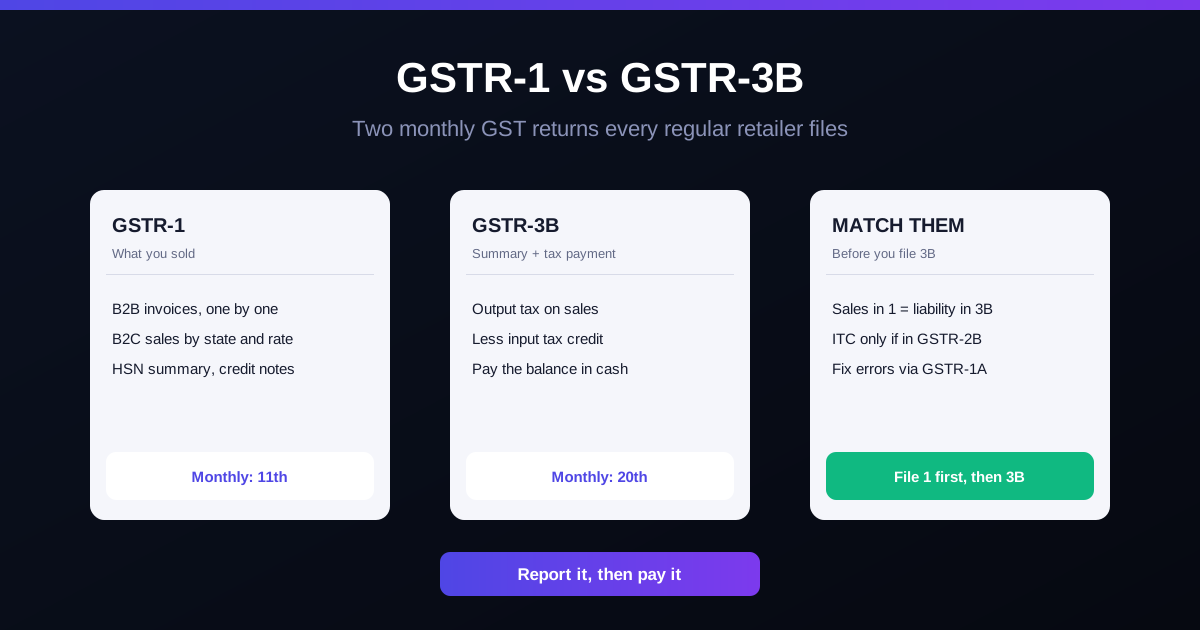
The practical rule: spot the mistake before GSTR-3B goes in, and GSTR-1A fixes it in the same month. That is why it pays to compare your GSTR-1 with your billing report on the 11th, not on the 20th.
Amending in a later GSTR-1 (after GSTR-3B is filed)
Once GSTR-3B is filed, GSTR-1A for that month closes. You then correct the entry in the GSTR-1 of any later month, using the amendment tables:
Open the GSTR-1 of the current month and go to the amendment table that matches the original entry (9A for B2B, large B2C and export invoices; 9C for credit and debit notes; 10 for B2C small totals).
Enter the original invoice number, date and the financial year it belongs to.
Edit the field that was wrong, or set the value to zero if the invoice should not have been reported at all.
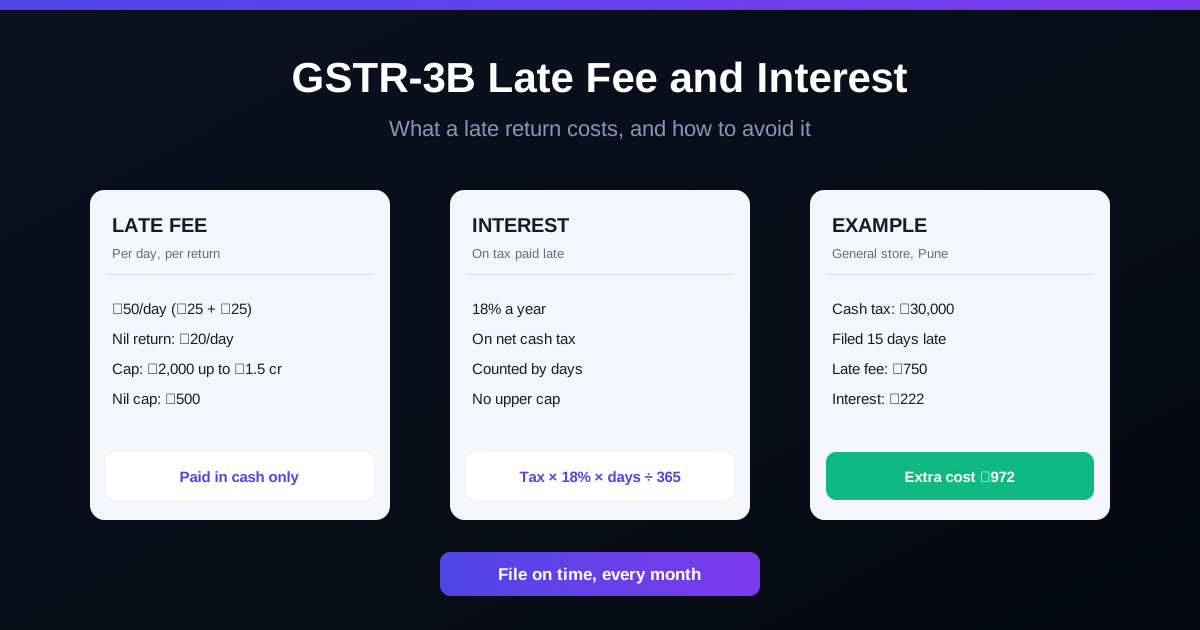
File the GSTR-1 as usual. If the correction increases your tax, pay the difference in that month's GSTR-3B with interest at 18% a year from the original due date (Section 50).
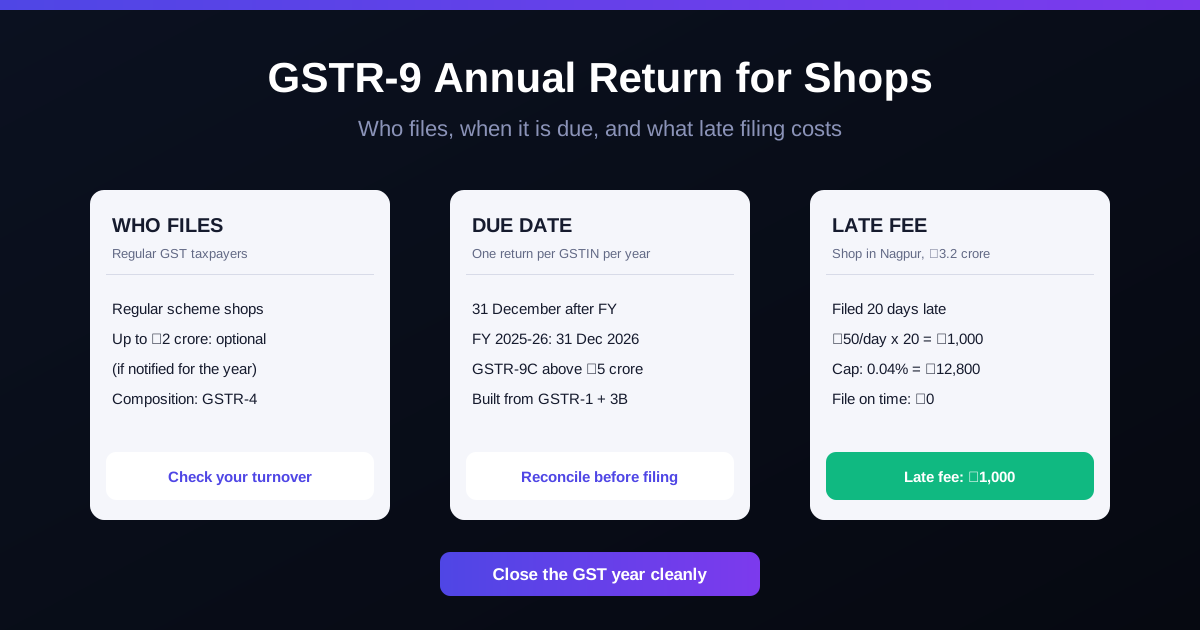
The amendment does not change the original month's GSTR-3B; the effect shows in the month you report the amendment. Keep a note of what you changed and why, because the same correction has to tie up in your annual return. See GSTR-9 annual return for a retail shop.
The deadline: 30 November 2026 for FY 2025-26
Section 37(3) of the CGST Act says no rectification of GSTR-1 details is allowed after 30 November following the end of the financial year, or after you file the annual return for that year, whichever comes first. For sales made between April 2025 and March 2026, that means:
Any missed invoice, wrong rate or wrong GSTIN from FY 2025-26 must be corrected in a GSTR-1 filed on or before 30 November 2026.
Credit notes for supplies of FY 2025-26 have the same cut-off under Section 34(2). A credit note declared after that is not allowed to reduce your tax.
If you already filed GSTR-9 for FY 2025-26, the window closed on that date.
After the deadline, an under-reported sale still has to be paid, usually through GSTR-9 or DRC-03 with interest, but you can no longer amend the GSTR-1 record, and your buyer may lose credit that depended on it. If you suspect old mistakes, sit with your CA this month.
There is also a hard stop on late filing: under Section 37(5), a GSTR-1 cannot be filed at all once three years have passed from its due date.
Common situations at a shop counter
A B2B customer gave the GSTIN after the bill
The sale went into your B2C total. Once GSTR-3B is filed, your CA reduces that month's B2C figure through Table 10 and reports the invoice under B2B with the buyer's GSTIN, so the buyer gets the credit. Going forward, take the GSTIN before you print the bill; see how to make a B2B GST invoice.
A cancelled bill was uploaded
If the sale never happened and the bill was cancelled the same day, it should not have been in GSTR-1 at all; it belongs only in the documents count (Table 13). Remove it through GSTR-1A, or amend it to zero later. If goods were sold and came back, that is a credit note, not a deletion. The number of a cancelled bill is never reused: see GST invoice number rules.
18% typed as 5% on some items
Under-charged tax is still payable by you even if the customer paid less. Correct the invoices, pay the difference with interest, and fix the item's rate and HSN in your billing master so it does not happen again. Check the current rate in the HSN and GST rate finder.
How to avoid GSTR-1 mistakes in the first place
Match before you file. Compare the portal draft with your billing software's GSTR-1 report: B2B count, B2C total, credit notes and the HSN summary. The table-wise rules for the HSN summary are in GSTR-1 HSN summary (Table 12).
File GSTR-1 early, GSTR-3B later. The gap between the 11th and the 20th is your free correction window through GSTR-1A.
Validate GSTINs at billing. A typo in a GSTIN cannot be fixed through GSTR-1A. A quick format check helps: GSTIN checker.
Most GSTR-1 corrections start with data typed twice: once on the bill, once into an Excel sheet for the CA. In RichBills (formerly RichPOS) every bill carries the customer's GSTIN, HSN and the CGST/SGST/IGST split, and the GSTR-1 report shows B2B invoices, B2C totals and the HSN summary for the period, ready to export to Excel for your CA. Cancelled bills keep their number, and returns go through credit notes, so the report and the portal tell the same story. See GST and other reports and GST billing software. RichBills does not file GSTR-1, GSTR-1A or amendments on the GST portal; your CA files them.
Pricing: 30 din free, phir ₹99/month pehle 3 mahine, phir ₹199/month ya ₹1,999/saal.
Bottom line: a filed GSTR-1 is never deleted, only corrected. Before GSTR-3B, use GSTR-1A; after GSTR-3B, amend in a later GSTR-1 or issue a credit note. For FY 2025-26, every correction and credit note has to be in by 30 November 2026.
General information based on the CGST Act and GSTN advisories as of November 2026, not tax advice. Confirm the right table and any interest with your CA before filing.
FAQ
Frequently asked questions
How do I delete an invoice in GSTR-1 after filing?
You cannot delete it. If GSTR-3B for that month is not filed yet, correct or remove the entry through GSTR-1A. If GSTR-3B is filed, amend the invoice in Table 9A of a later GSTR-1, setting the value to zero if it should never have been reported, or issue a credit note if the sale was later reversed.
Can I cancel an invoice in GSTR-1 after filing?
Not directly. The portal only allows amendments to filed details. Cancelling the bill in your books does not remove it from the filed return; you report the correction through GSTR-1A or an amendment table in a later GSTR-1.
What is the time limit for GSTR-1 amendment?
Under Section 37(3), corrections are allowed until 30 November following the end of the financial year, or the date you file the annual return for that year, whichever is earlier. For FY 2025-26 that is 30 November 2026.
What is the due date of GSTR-1A?
There is no separate due date. GSTR-1A opens after the GSTR-1 due date (or your filing date, if later) and stays open until you file GSTR-3B for the same period. Once GSTR-3B is filed, GSTR-1A for that period closes.
Can I change the buyer's GSTIN in GSTR-1A?
No. A wrong recipient GSTIN can only be corrected through the GSTR-1 of a later tax period, using the B2B amendment table.
Is GSTR-1A mandatory?
No. It is an optional form for correcting the current period before GSTR-3B. If your GSTR-1 is correct, you do not file it.
Will my buyer lose ITC if I amend an invoice?
The buyer's credit follows your corrected data. If you reduce or zero an invoice, their GSTR-2B shows the reduction in a later month and they may have to reverse credit. Tell B2B buyers before you file the amendment so their books match yours.
Founder, RichBills Software, Ahmedabad. We build RichBills for Indian shops and write these guides from what shop owners ask us every day. Facts on tax rates and prices are dated; confirm GST matters with your CA. Questions? WhatsApp us.
Make GST bills in seconds with RichBills
Billing, stock, WhatsApp bills and GST reports in one app. Free 30-day trial with no card, then ₹99/month for 3 months and ₹199/month after.
GSTR-1 vs GSTR-3B: A Simple Guide for Retail ShopsGSTR-1 vs GSTR-3B for Indian shops: what each return holds, due dates, QRMP, how to match them, a worked example, and mistakes that trigger GST notices.